Archimedia Studios

  • Home
  • Our Company
  • Expertise
  • Blog
  • Contact Us

Photographic Juxtaposition

August 3, 2011

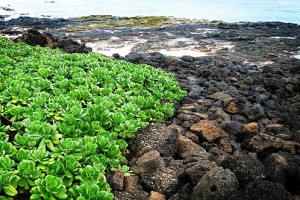
Juxtaposition seems like such a hard word, doesn’t it, but it is a concept quite easily grasped when explained using pictures.

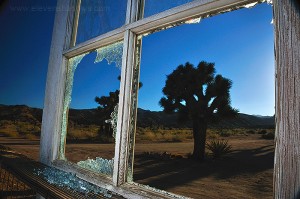
Juxtaposition involves comparing two or more elements within a photograph, bringing out either the similarity or dissimilarity between them. Juxtaposition also can involve contrasting elements. In such cases, we will see elements that are strikingly, and often incongruously, different. We can compare and contrast elements by placing them side-by -side, above or below each other, or layer them in the foreground, middleground and background.

Juxtaposition can play a crucial role in creating expression in incongruity, street photography, landscapes, opposites and contradictions, and layered imagery.

The next time you see a grand mountain or large monument or building you want to shoot, try to think of how you can further the idea of that grand subject with juxtaposition. For example, something into the foreground can help create the feeling or idea you’re trying to get across. In a grand landscape scene, try to look for something small in the foreground to place in contrast to the large mountain in the background. Look for something that tells the story of the place, such as a river leading into the scene or boulders that are slowly falling off the face of the mountain and are destined to become pebbles at the bottom of the stream.
Filed Under: Photography

Getting “Out of the Box”

July 29, 2011

We always like to tell designers when approaching a new project  to “Think Outside of the Box”  – Idea generation or problem solving that is not constrained by self-imposed limits or conventional barriers.

OOB thinking will often lead to novel ideas innovations and solutions. Here are some of our examples of OOB creativity in Ad Design.

Filed Under: Graphic Design

The Art of Selective Color Photography

July 26, 2011

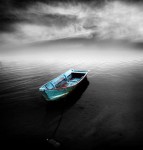
Selective color is a post-processing technique where most of a photo is converted to black and white, but some parts are left in color. This is usually achieved by using layers and masks in photo editing software (Photoshop, SilverFast, Adobe Fireworks or The GIMP for example). This technique is often over-used. Use it to  enhance your composition storytelling, not to merely demonstrate that you know the technique.

Here’s a link with some more great inspirational selective color photographs

Filed Under: Photography

Get to know the F/16 Rule

July 11, 2011

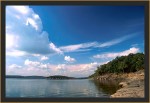
For a lot of us, landscape photography is one of our favorite past-times.

It can get a little frustrating if we’re not producing the standard of shots that we would like to however.

Luckily, there’s a quick and easy rule that can save your daytime landscapes (or any other daytime shot for that matter), at least in terms of exposure and light.

It’s called the f/16 Rule and is sometimes known as the Sunny 16 Rule.

Quite simply the Sunny f/16 Rule states that: On a bright sunny day, with camera aperture set to f/16, the shutter speed will be 1 over the ISO value. eg when using ISO 100 , aperture set to f/16 the shutter speed will be 1/125 (closest to 100).

So if you were using ISO 50 shutter speed would be 1/60, and when using ISO 200, shutter speed will be 1/250.  You get the idea. From this information you can derive other combinations that give the same exposure eg (f/16, 1/125s), (f/8, 1/250s), (f/5.6, 1/500s) etc. Less and less people tend to use this rule due to cameras with auto exposure etc, but knwoing and understanding this rule is useful to have as a starting point to roughly calculate exposures – cameras sometimes get it wrong!

In bright sunlight, it is fairly easy for a camera’s light meter to be thrown off by light colored or shiny surfaces.  For this reason, many professionals rely on the Sunny f/16 rule in these conditions.  The rule  works well with both film and digital photography.  After you become comfortable using the basic Sunny f/16 Rule, you can start  making  adjustments in exposure for sidelight (+1.0 EV), and backlight (+2.0EV) in the photographs you make in bright daylight.

Filed Under: Photography

Keep your Camera Cool!

July 7, 2011

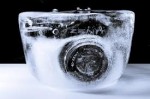
The summer photography season is upon us and to help us take the best photographs possible, whether at the beach, on vacation or the countryside, it is important to keep your camera cool!

Digital cameras don’t like heat and humidity. Most DSLRs come with the recommendation that they work best between 0 and 40 degrees C. (32 – 104 degrees F). It is important to remember that. Keeping your camera cool (or more specifically your image sensor) will help prevent photons (which become more active with higher temperatures) contaminating photosites on your sensor. When an image sensor heats up, colors may not be accurate.

We recomend that you don’t leave your camera where it will get hot like in your car or in a bag in the sun.

When it comes to humidity, if you have a digital SLR, don’t change lenses when you go from an air-conditioned area into humid conditions. If you do change lenses, condensation can build up on the filter over the image sensor and fog your pictures. If your lens and viewfinder fog up, you can wipe them clean with a lint-free cloth or wait until they clear up.

Filed Under: Photography

  • « Previous Page
  • 1
  • …
  • 24
  • 25
  • 26
  • 27
  • 28
  • …
  • 54
  • Next Page »

Delivering Customer Experience Excellence

Let's give em' something to talk about!

Contact Us

Copyright © 2026 · Archimedia Studios · Privacy Policy